Positive Advice for 2010

Susanne Dansey of Purple Cow Ideas Management has created a great Slideshare presentation with insight from a whole bunch of people from all sorts of backgrounds, with a range of skills and experience in different fields. She has collected their thoughts about the last year and their visions and advice for 2010. It’s an intriguing cross-section of quotes, perspectives, and inspiration for anyone in business, and maybe for your personal life too.

(Ideally view it full screen to avoid the jagginess in some of the fonts at the reduced size in the window here)

This also contains some great examples of varied slide layouts and clean lines, it’s worth a look just for some inspiration to brighten up your next presentation.

Find Office 2010 features in the Ribbon

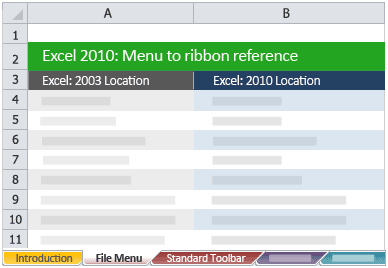
Excel Menu to Ribbon reference

One of the issues with any software upgrade is that as well as finding all the new features and getting to grips with them, there is also a certain amount of reorganisation, renaming and generally moving around of menus and toolbars to seemingly more logical places. Never was this more apparent than the complete replacement of the old Office menus and toolbars with the Fluent User Interface and the Ribbon in Office 2007.

The new style Ribbon is still retained in Office 2010, and you can now customise this to suit your own use. To help people who are upgrading from Office 2003 (or those who upgraded to 2007 but still have not got to grips with where everything is) Microsoft have published a bunch of reference documents to help you find Office 2010 features in the Ribbon. These are all presented as Excel templates, so if you don’t already have Excel 2007 or 2010 installed, you will need to use the Excel 2007 viewer discussed here.

Simply download the files you want for the programs you use, save them somewhere on your computer, then double click to open them whenever you find you have lost a function you used to use a lot. Given that most features that were kept in the product from earlier versions through to 2003 did not move around much, you will probably find these references equally useful if you are upgrading from 97 or 2000, say (I suspect if you are just getting round to upgrading from Excel 5 or earlier you might have other things to worry about!).

[Thanks to Daniel Escapa for bringing this to my attention with his post Menu to Ribbon mappings for OneNote 2010]

Have you upgraded to Office 2010 already? Do you have Office 2007? How have you found the transition from menus and toolbars to the Ribbon way of doing things?

Outlook CRM client synchronisation explained

Outlook synchronisation white paper

Another recent find was this page with a link to a pdf file “nuts and bolts” white paper about Outlook synchronisation. This covers the basic concepts effectively, but also drills down into some of the details about how and when exactly the synch process takes place (some things are effectively immediate, others are queued up) This helps answer those peculiar edge-case questions which come up from time to time about what happens if you create a record here, update it there, share it to someone else then delete the original, or mark it as complete, or some other strange scenario. For example:

An E-mail that is deleted in Outlook will not be deleted in CRM at the next Outlook Sync
An E-mail that is untracked in Outlook will be deleted in CRM at the next Outlook Sync if the user designates

So you can track an email into CRM then delete the copy to keep your mail file size down, and the deletion does not “propagate” to CRM. It is this sort of behaviour which makes perfect sense when you think about the implications, but calling the process “synchronisation” seems to confuse many users as they expect that to mean “keep both copies entirely identical”.

Similarly this table explains what happens when you (or someone else deletes something in CRM which is linked to an item in Outlook:

Entity  Behaviour after deletion in CRM
Contacts A Contact that is deleted in CRM will be deleted in Outlook at the next Outlook synchronization if the Outlook user is not the CRM Owner of the Contact. If the user is the owner in CRM, then the Outlook contact will be unlinked after synchronization.
Appointments An Appointment that is deleted in CRM will be deleted in Outlook at the next Outlook Sync if the Appointment Start Time is in the future.
Tasks A Task that is deleted in CRM will be deleted in Outlook at the next Outlook Sync if the Task has not been completed.
E-mails An E-mail that is deleted in CRM will not be deleted in Outlook.

The distinction between synchronised Contacts I own or do not, Appointments in the future or the past, Tasks which are open or completed, all these details matter in real-word implementations. This document is definitely worth a read, then keep a copy handy for when you need the definitive answer for an awkward situation.

Office 2010 file viewers

Office 2010 has now been released, so inevitably some early adopters (like me) will be deploying this in their businesses. If they are your suppliers, customers, partners or just other folks you know, they might want to share their files with you. So how can you read these documents if you don’t have this latest greatest version yet? There are various free options available to you to view them, depending on which version (if any) of Office you have.

Find out what your options are for different versions of Office»

Quick CRM customisations

I recently found some interesting (and easy) customisations for Dynamics CRM 4 that I though I would share.

Linking to LinkedIn

I’m using Office 2010 with the CRM client installed, and I’m also using the LinkedIn Social Connector for Outlook. I had a few problems at first with Outlook 2010 beta, but a quick uninstall of the social connector component and reinstall or the latest version of the OSC beta as per this Microsoft article did the trick. It’s not something I rely on hugely but it can be handy sometimes. Even more useful would be to get information about my CRM contacts directly. This can be done for Accounts (ie companies) as explained in this article by CRM MVP Marco Amoedo. I must get round to going through the solution to see how it might be possible to modify it for individual Contacts, although I expect getting the results to match the right person might be the tricky part.

Copying addresses from Accounts to Contacts

Maybe you imported a load of data and have Contacts with no address, or you have Contacts who work at sites other than the main head office. Either way it would be great to be able to copy any of the multiple addresses associated with an Account directly to a Contact. I found a nice little solution to do just that on the BusinessNone blog. The html code (which is attributed to Microsoft’s Pierre-Adrien Forestier) needs to be published on your web server then simply called from an iFrame on the Contact form.

This presents all the addresses associated with the Contact’s parent Account so you can choose between them with a click of a button. Note that the “Address name” field is used here to distinguish between the sites. I have often seen this field completely overlooked (or even removed from forms) or misunderstood (being used for the name of the premises or building, or simply the first line of the address). The Address Name is simply “how do you refer to this address?” – head office, New York store, Dallas factory, LA regional call centre or whatever.

Visit this page to download the iFrame source for Address Picker (Ben Vollmer’s Skydrive, Hotmail / Windows Live login required) Note: you need to follow the link to the Skydrive page then download, you can’t right click the link here.

Do you find these useful? Do you have any other favourite quick and easy enhancements for CRM? Let others know in the comments below!

Dynamics CRM rollup 10 and SDK update

Update Rollup 10

First, the obvious regular update. MS Dynamics CRM 4.0 update rollup 10 was announced a couple of weeks ago and the various platform versions and components can be downloaded here. A few minor bug fixes, but this one does not seem to be setting the world alight. Rollup 7 is a pre-requisite as with the last couple; this is clearly seen as the new baseline, but it would be good to see an updated client install package with the rollup already slipstreamed in (as they did with rollup 7). Hopefully for most people it is becoming much more routine to get these rollups tested and installed but it is still annoying for new client installations to have to put the client on and then immediately patch it.

CRM 4.0 SDK version 4.0.12

There is also a new CRM SDK version 4.0.12 available to download, and there are some useful articles about it on the official CRM blog on MSDN and David Jennaway’s MSCRMUK site. Slightly annoyingly the self-extracting CAB file does not have the release version in the filename or in the file version info, it is simply “CrmSdk4.exe” so not obvious which is the latest version when you have multiple downloaded versions lying around. Ho hum, just a quick rename needed.

The xRM stuff is new, there are some Visual Studio templates and CSS stylesheet sample files, but lots of things are unchanged (such as the UX style guide, still on v1.0 from November 2007).

There are some other nuggets too – for example the old dynamicpicklist sample code and documentation has been deprecated and replaced by a newer “dependent picklist” sample instead which deals with three levels of dependency category > sub-category > type and is more robustly written to handle greater flexibility such as non-continuous sets of choices for the subcategories and items which may be available for more than one major category selection.

I also noticed this week there is a “User Interface Integration SDK for Microsoft Dynamics CRM 4.0” for developers writing standalone applications which need to get information to or from CRM, described in the overview as:

The User Interface Integration Software Development Kit (SDK) for Microsoft Dynamics CRM 4.0 is for developers and system customizers who want to build and deploy composite desktop applications based on Microsoft Dynamics CRM 4.0. Composite desktop applications are useful when there is a need to bring information from different systems into a unified application for employee use. This SDK provides an architectural overview, the entity model, and how to register and host applications and workflows in your composite desktop application. Sample code and walkthroughs are provided to guide you through the capabilities.
Changing and managing your Office 2010 product keys

So you got excited and installed Office Professional Plus 2010 or Visio 2010 using your Technet or MSDN subscription and product key? What if you want to change it later?

If you got your keys before 1st May they might not allow you to use all the features of the product as it seems there was some mix up with product keys for Terminal Services rather than full product ones. There’s more info about what you might be missing in Office or Visio in this Microsoft support article and longwinded instructions about how to fix the issue and use a different product key.

Quick version of how to change your Office 2010 key

Via control panel, go to install / remove a program (this called different things in different versions of Windows, but if you have a Technet or MSDN subscription I would pretty much hope you know where this is).

Find the entry for Office 2010 and choose to change the installation (not remove). The very first screen of the install wizard gives you a bunch of options, simply choose the one to enter a product key as shown below:

Read more of this post

Office 2010 launch failure update – working media stream

Tim posted a comment with a working link for the media stream of the Office and Sharepoint 2010 launch.

So far the demo is fast paced and pretty impressive, although resolution of the screen during demo is a bit poor. More thoughts later.

Office 2010 launch failure

Looks like Microsoft are too popular for once, and shot themselves in the foot. The Office 2010 launch which was supposed to be taking place today in 38 countries (or was it 60?) at 15:00 UCT is currently falling very flat as it struggles with the load of too many people trying to see what all the fuss is about.

I am sure Stephen Elop is giving a rousing speech to the several hundred people who have gathered in New York to hear him live, but the “virtual launch” is a big fail at the moment. The links to the live keynote speech media stream are not connecting, the main launch website returns a 503 or a custom “service not available” message.

As an aside, the launch site is running on Sharepoint 2010 – maybe that dog food does not taste so great today.

So far a great product looks like it is being let down by a launch which is going to be an unfortunate flop.

(Update: the main URLs all now seem to be delivering the same pages, but the link to the actual keynote speech still comes up as a dud. Media Player can’t connect to the stream, it seems.)

Office 2010 Group Policy setting reference

There’s a useful Office 2010 Group Policy settings reference which details 428 settings which are new versus Office 2007, 125 deprecated or removed since 2007, and 98 which write to registry locations which are not version specific (and therefore might be policies which affect older and newer versions equally). This is a useful additional companion to the main settings reference (downloaded as part of the Office 2010 admin templates as discussed in an earlier post about managing Office 2010), especially to quickly identify where you may need to make new decisions rather than just replicating your original Office 2007 group policies setting by setting.

Managing Office 2010 RTM

Office 2010 has reached RTM (“release to manufacturing”) stage, and one week from today on May 12th Office 2010 will be available to business customers through Software Assurance they already have on copies of Office, or through new volume licences. (Technet and MSDN subscribers can already download the release version, and anyone can download the Beta to begin familiarising themselves with the new features.

The main (virtual) Office 2010 launch event will include a keynote speech by Stephen Elop, President of the Microsoft Business Division at 11am EDT (that’s 4pm BST for readers in the UK).

System administrators everywhere will also be pleased to find that the associated Office 2010 management tools are available to download already to coincide with the launch, unlike the time lag before they were available for Office 2007, or for the later service packs. This nearly 16MB download is a self extracting exe which will force a UAC prompt on newer OS’s, which can be useful so you can put the files in a folder which needs elevated privileges, and the contents expand to a total of about 123MB.

Read more of this post