Great keyboard shortcuts from the Visio Guy

I love using keyboard shortcuts to work more efficiently, especially compared to using the trackpad on my laptop in a cramped or shaky environment like on a bus or when I’m driving (joke!)

I’m currently in the process of updating my shortcut key handouts which I give out to delegates on my MS Office training courses. I’m always finding new key combinations to use, but I try to make sure I teach people the most useful ones based on three criteria:

  1. Does this shortcut do something genuinely useful which people need to do frequently or repetitively?
  2. Is the key combination easily memorable? (Ctrl-B is fine, but Ctrl-Shift-Alt-F7 is less easy to recall when you need it!)
  3. How ‘standard’ is the shortcut across different applications, especially within MS Office?

Visio is an application I use quite a lot but would not really consider myself a “power user” (I don’t create and edit my own shapes, for example). I find it really straightforward to use and great for doing office layout plans, network schematics, and data or process flow diagrams. However, I was amazed to see how many keyboard shortcuts and keyboard / mouse combinations I was missing out on when I read this article yesterday over at the Visio Guy blog:

Work Faster With Our Top Visio Keyboard Shortcuts

Some of these I was already using as they are the same or similar in other applications, but I could have saved myself loads of time over the years if I had known how to do this to draw out a region to zoom to:

Zoom to Region: Ctrl + Shift + Left Mouse-drag

You can specify exactly where you want to zoom with this command. Press the Ctrl + Shift keys together, then hold the left mouse button. You can now drag a net around the area that you want to zoom. Visio will fill the window with the region that you specify.

What are your favourite shortcuts for getting round applications more quickly?
Why IT design skills are important, and how to measure them

The comments on my earlier post about the MS Security Design exam 70-298 prompted me to add some more general thoughts.

I agree with the comment made that the design exams do generally seem easier in some respects than the straight technical ones, as you don’t need to know the same level of detail of exactly how to do something in terms of making choices in a dialogue box.

On the other hand, the MS design exams do expect you to be able to take in, digest and interpret a load of business and technical requirements (some of the latter may only be implied from the former, some will be explicitly stated). The breadth of this is where the challenge lies in the real world, although the exam will often lead you in the right direction, rather than a blank sheet of paper on which to write an IT security plan. The nature of a computer-based exam does not lend itself to open questions; it would be very hard to make any kind of meaningful sense out of your answer to “How would you improve the security of the data for this organisation? (answer in no more than 200 words)”.

Read more of this post

Passed 70-298 "Designing Security for a Windows 2003 Network"

This morning I took and passed Microsoft exam 70-298 “Designing Security for a Windows 2003 Network”. Having not taken one of these scenario-style design exams before, I was a little cautious even though I was fairly confident of my knowledge of the material.

The first section had 11 questions which was great as I had made loads of notes from the provided fictional case studies, and I sailed through with loads of time to spare. Unfortunately the format of these exams is that the time for each part is independent, so you don’t get to carry any spare time to the next set of questions and use it there. I had a couple of shorter sections where I maybe spent too long reading the materials and answered the last question with seconds to spare.

Overall I found this style of exam to be right up my street; taking in lots of information in a very short time and then applying my technical knowledge to this to come up with solutions to the business issues. Despite the rushed time on a couple of questions I came away with my best score to date on a Microsoft MCP exam, and won’t need to use my second chance to take this.

How do you find these design exams compare to the ‘normal’ technical ones?

How Vista file copy has improved with sp1

Mark Russinovich is very well known within the technical community as an authority on detailed information on the inner workings of Microsoft products. Author of several books including the Windows resource kit “Windows Internals” volume, and founder of Winternals and sysinternals.com, he is now a Technical Fellow in the Platform and Services Division at Microsoft.

In a recent blog post, Mark explains in great detail the file copy process in Vista, why it changed radically from XP and how this impacted real and perceived performance of this basic function. He goes on to explain how some of this has been changed and remedied in Vista Service Pack 1. He makes it clear that some of the code design choices have to be compromises between making things faster in different situations, and that in most cases Vista <> Server 2008 filecopying will be faster using the chosen algorithms than they would be with different choices, or using XP or server 2003 for example.

Copying a file seems like a relatively straightforward operation: open the source file, create the destination, and then read from the source and write to the destination. In reality, however, the performance of copying files is measured along the dimensions of accurate progress indication, CPU usage, memory usage, and throughput. In general, optimizing one area causes degradation in others. Further, there is semantic information not available to copy engines that could help them make better tradeoffs. For example, if they knew that you weren’t planning on accessing the target of the copy operation they could avoid caching the file’s data in memory, but if it knew that the file was going to be immediately consumed by another application, or in the case of a file server, client systems sharing the files, it would aggressively cache the data on the destination system.

The article is also a useful working example of how Process Monitor can help you to see what your machine is really up to. On the same subject, Mark gave a great Tech Ed presentation in Barcelona with some real-world demonstrations of how to use a variety of Sysinternals tools and utilities to detect, find and fix all sorts of system issues. A video of that talk entitled “The Case of the Unexplained…Live!” can be viewed here (it’s just over an hour long).

Windows Server 2008 Security Resource Kit coming very soon

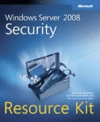
book cover - Windows Server 2008 Security Resource KitJesper Johansson has put together a great book for Windows Server 2008 focusing on security and providing a load of resources that go beyond the shipped product.

Produced by a group of world-class contributors including several MVPs and members of Microsoft’s server security team, this is likely to be the definitive reference on the subject for some time.

According to Jesper’s blog it has now gone to press.

This official Microsoft Resource Kit delivers the in-depth, technical information and tools you need to help protect your Windows®–based clients, server roles, networks, and Internet services.

Leading security experts explain how to plan and implement comprehensive security with special emphasis on new Windows security tools, security objects, security services, user authentication and access control, network security, application security, Windows Firewall, Active Directory® security, group policy, auditing, and patch management. The kit also provides best practices based on real-world implementations.

You also get must-have tools, scripts, templates, and other key job aids, including an eBook of the entire Resource Kit on CD.

It’s an MS Press title so it should be pretty widely available, I will be pre-ordering my copy from here at The Register book store, as they have really competitive pricing and free delivery for orders over £25 at the moment.

Happy Valentine’s Day to you all

Happy Valentine's Day

From here: XKCD Webcomic

Marketing obfuscation minimises clarity of message delivery vector

In the latest Technet newsletter to drop into my inbox I found this nugget of barely-comprehensible garbage (my emphasis):

The runaway success of Microsoft Office SharePoint Server (MOSS) 2007 owes largely to its ability to integrate disparate data formats in a standard content management engine that facilitates unrivaled information sharing and collaboration. As noted in the current edition of TechNet Magazine, SharePoint makes it possible to standardize many aspects of content and lifecycle characteristics through content types…

So, let’s try a translation of that middle bit:

…owes largely to the fact that it allows people to share and collaborate on a wide variety of types of data through a single platform.

Better, although I’m still not entirely happy with “platform”. The user experience is to access the data through different software products (within their applications or directly through a portal / intranet site) so “single piece of software” could be misunderstood. “Single server” is not necessarily true either – what do you think? Is the message being lost somewhere along the way here? How could this be written to describe the key benefits of MOSS clearly, unambiguously, and without paradigm-shifting “marketing-speak?

Internet Explorer 7 automatic installation via WSUS today

You may find that your XP and Server 2003 machines running Internet Explorer 6 are upgraded to version 7 today if you have a certain set of things in place:

  • You use WSUS to manage updates in your organization.
  • You have Windows XP Service Pack 2 (SP2)-based computers or Windows Server 2003 Service Pack 1 (SP1)-based computers that have Internet Explorer 6 installed.
  • You have configured WSUS to auto-approve Update Rollups for installation (this is not the default configuration)

If for some reason you do not want to install Internet Explorer 7 (such as it causes problems with an intranet or extranet application) then you need to take some remedial action to prevent this installation from taking place. Read on to find out how to check if this will happen and stop it if this is not what you want.

Read more of this post

Windows Server 2008 Group Policy settings reference

Now that Windows Server 2008 has been released to manufacture (RTM), MS have published the usual spreadsheet reference containing all the settings which are available through Group Policy for managing Server 2008, Vista and all prior versions.

Download the Group Policy Settings Reference for Server 2008 in Excel 2007 (.xlsx) or older version (.xls) format.

Interestingly, this also includes 9 settings which are only available for Windows Vista service pack 1 (which also RTM’d last week). All of these are to do with controlling security settings for terminal services (RDP) sessions, including a setting I will find particularly useful to control whether a session can be established when the server cannot be authenticated.

Read more of this post

Windows Server 2008 goes gold

Microsoft have now released Windows Server 2008 to manufacturing in the same week as Vista SP1 has also been finalised.

Release candidate code has been available since December for various subscribers such as Technet, MSDN and Microsoft partners. Read more of this post

Vista Service Pack 1 gets the green light

Vista’s much-awaited service pack 1 has had the go-ahead and is “released to manufacturing” (RTM). This means they can start pressing CD’s and get things moving through distribution channels, OEM and retail so people will soon be able to buy the product with sp1 built in (“slipstreamed”).

Read more about the release of Service Pack 1 for Vista here. The short version is that it won’t be available to actually download until mid-March

One of the benefits likely to get most press will be the changes to how Microsoft enforce their licencing through the “Windows Genuine Advantage” (WGA) programme which requires the software to be activated in order to continue using the full functionality. This has been held back from all the beta versions and will only take effect in the final released version. Paul Thurrott discusses this at his SuperSite for Windows:

First, Microsoft is disabling the two most common exploits that exist today for bypassing product activation in Vista … Pirate Windows users utilizing one of these hacks will see their systems return to the intended state–typically a grace period countdown–once SP1 is installed.

The second change is more dramatic. … If the product activation period expires, for example, Vista moves into Reduced Functionality Mode (RFM), where the user can only access the IE Web browser for 60 minutes at a time before being logged out; … Non-Genuine State (NGS), occurs when an activated copy of Vista fails a Web-based validation check, such as when you attempt to download software from the Microsoft Web site. In this case, certain features–like Windows Aero and ReadyBoost–are completely disabled, while others–like Windows Update and Windows Defender–work in limited ways only.

Beginning with SP1, RFM and NGS are a thing of the past.

Improvements to the software itself generally focus on performance and stability, but it does also improve on driver support and providing better APIs for third-party products such as anti-virus and desktop search (partly due to complaints that vendors were being “locked out” and could not develop products on an equal footing with Microsoft themselves).

One area which should be much better is the slow copying of files (even within a disk) which has plagued some systems. I will run some test copies of sets of large and small files and once I have the service pack installed I’ll post some results on how much performance gain I get.

Windows XP service pack 3 Release Candidate available

The release candidate (RC) of Service Pack 3 (sp3) for Windows XP is now available for download – well it has been for a few weeks in fact. This should represent a pretty close similarity to the final “RTM” version, but do remember this is still strictly speaking a beta version so some third-party applications may not work 100%. Don’t install on a critical machine, and ideally not even an important one unless you are sure you are confident enough to roll it back if necessary. If your line of business application won’t work, or your firewall locks up your machine you may wish you hadn’t installed it after all.

So, what’s the point of this service pack?

Read more of this post

Hardening Windows Systems – Roberta Bragg

Author: Roberta Bragg. CISSP, MCSE: Security, Security+Publisher: McGraw Hill / Osborne

Suggested Publisher Price: $39.99 US / $57.95 CDN / £24.99 UK

ISBN: 0-07-225354-1 Softcover, 504 pages

Hardening Windows Systems book cover

Bulletproof your systems before you are hacked!

Take a proactive approach to network security by hardening your Windows systems against attacks before they occur. Written by security evangelist Roberta Bragg, this hands-on resource provides concrete steps you can take immediately as well as ongoing actions to ensure long-term security. Whether you have one Windows server or one hundred, you’ll get complete details on how to systematically harden your network from the ground up, as well as strategies for getting company-wide support for your security plan. With coverage of Windows 95/98/NT 4.0/2000/XP and Windows Server 2003, this book is an essential security tool for on-the-job IT professionals.

Read more of this post

Excel Hacks – David and Raina Hawley

Excel Hacks – 100 Industrial-Strength Tips and Tricks

Authors: David and Raina Hawley

Publisher: O’Reilly

Excel hacks book cover

Suggested Publisher Price: $24.95 US / $36.95 CDN / £17.50 UK

ISBN: 0-596-00625-X Softcover, 284 pages

Excel has fundamentally changed the way we’ve related to numbers for over a decade, but much of its power remains hidden.

Diving beneath the surface of Excel requires looking at features in unusual ways, but offers great rewards. Excel Hacks helps you leapfrog most of the preparatory work of understanding how it all works and what lives where, taking you straight to a set of immediately practical tools and techniques for analyzing, processing and presenting data.

Read more of this post

Group Policy templates and references for Office 2007

It took a while but eventually Microsoft got round to providing the Group Policy administration templates for Office 2007 in ADMX format, so they can be used properly with the Group Policy management tools in Vista and Windows server 2008. By properly, I mean using a central store and having the option to use ADML files to view and edit policies in an administrator’s preferred local language. You can get the ADM, ADMX and ADML files for Office 2007 in a single download here which is a self-extracting file that creates a folder structure containing all the relevant files.

This also has the bonus of including the Office Customisation Tool (OCT) which you can use to create an MSP file to customise a centralised network installation of Office for new installations, upgrades, or reconfiguration. You can find out more about the methods for customising Office 2007 setup files here and specifics about the OCT here. In addition the download extracts an Excel workbook “Office2007GroupPolicyAndOCTSettings.xls” that provides information about the 2007 Office release Group Policy settings and OPA settings, making it clear what can be pre-customised at the point of installation and what can only be set through policies.

You will probably also find the Office 2007 settings reference file useful. This is a comprehensive reference for all the settings in the GUI for Access, Excel, Outlook, PowerPoint and Word 2007. This gives the equivalent UI path in 2003 (where there is one), the default setting, what choices can be made, what policy settings exist and which registry keys those change. A very helpful file for understanding how to customise the user experience, and deciding which parts to do through policies and which settings are better left to users (and perhaps prompting you to educate them about the usefulness of some of these).

Group Policy, Profiles, and Intellimirror – Jeremy Moskowitz

Group Policy, Profiles, and Intellimirror (third edition)

Author: Jeremy Moskowitz, MCSE, MCSA, MVP

Publisher: Sybex

Suggested Publisher Price: $49.99 US / $69.95 CDN / £34.99 UK

ISBN: 0-7821-4298-2 Softcover, 536 pages (+TOC / index)

Group Policy, profiles etc. book cover

Buy the book direct from the Author (and get it signed!) (Update: this link now goes to a page for the replacement fourth edition of this book)

Everything you need to know about Group Policy in one useful reference…and loads more besides

The Group Policy Management Console (GPMC) is a dramatic step forward in the way Group Policy is administered. This book provides all the instruction and insight you need to take full control of your Active Directory with GPMC and other Group Policy tools. You’ll also learn techniques for implementing Intellimirror, making it possible for users to work securely from any location; and you’ll find intensive troubleshooting advice, insider tips on keeping your network secure, and hundreds of clear examples that will help you accomplish all your administration goals.

Read more of this post

Watch those data entries

Thought I would share a cartoon I saw:

From http://imgs.xkcd.com/comics/exploits_of_a_mom.png

Excel 2007 calculation bug fix released after two weeks

A fix for the Excel 2007 calculation bug affecting results around 65535 and 65536 has been released in the last few hours. The Excel team blog post says:

As of today, fixes for this issue in Excel 2007 and Excel Services 2007 are available for download…We are in the process of adding this fix to Microsoft Update so that it will get automatically pushed to users running Excel 2007 or Excel Services 2007.  Additionally, the fix will also be contained in the first service pack of Office 2007 when it is released (the release date for SP1 of Office 2007 has not been finalized).

Microsoft knowledgebase article KB943075 discusses the fix and gives the usual details for what versions and sizes the updated files should have after the fix. The version number of Excel.exe is altered from 12.0.6024.5000 to 12.0.6042.5000. Now read that again – yes, easy to miss the difference from ’24’ to ’42’ if you look too quickly. (NB: you may have a different version, mine is at 12.0.6024 after installing the security update as per KB936509, as far as I can tell.)

The download for the fix for Excel 2007 (33Mb exe file) is linked from the Excel team blog as well as from the KB article. The blog post also has links for Excel Services 2007, both 32 bit and 64 bit.

Excel 2007 bug shows wrong answers to simple multiplications

This is a follow-up post to my earlier one about a bug in the way Excel 2007 displays the results of certain calculations. Read that one first of you have not already done so.

A few people in the comments thread in the Excel team blog post about the bug seem to have some misconceptions about the seriousness of the problem. Some have asked how often it is likely to come up, implying that they think it is vanishingly unlikely. This seems to be particularly those who have misunderstood that the example of 850*77.1 is only one simple example which is easy to remember and to type, but there are several more simple ones as well as thousands of other combinations which lead to the buggy result (due to floating point rounding errors in the calculation hitting a result which is sufficiently close to 65,535 to cause the false display of 100,000). Nine examples are shown in the screenshot below, and in a table you can easily copy and paste to try this for yourself.

» See some simple examples and find out more about functions which reproduce the error, and which ignore it safely»

Using anti-virus software to keep the elephants away

Steve Riley wrote an interesting article recently about why he chooses the trade-off to not run anti-virus (AV) on his own machines, and a follow-up to that after many people asked if this is his general recommendation. His view is very similar to mine, in that if your overall stance is a cautious one and you are taking other suitable precautions against the risk of getting a virus infection (or spyware or some other nasty malware) then you may be just fine running with no AV software. This is how I run my own workstations (both private and business), but in all cases I run as a non-privileged user and will always be aware of the risks anytime I use admin credentials to install something.

As Aaron Margosis points out, running anti-virus software which requires you to be a local administrator to work properly is fairly pointless. You have the rights required to turn off, disable and uninstall your AV, so any malware that gets past your defences can do this too, rendering the AV potentially useless. The same applies of course to running well-written anti-virus which does not require admin rights, but then running as admin anyway.

»Read on to find out why I recommend using anti-virus to keep elephants away»
