Creating better web pages and site design

I have recently been doing some restructuring of my company website at www.meteorit.co.uk – it’s still very plain and simple but I have tried to tick all the appropriate boxes for accessibility, usability, standards compliance and above all giving people clear information about what my company does and does not offer.

Later I may give it a bit more corporate gloss and “pictures of people in smart suits drinking cappuccinos in a meeting, and someone good looking with a headset on smiling at the camera” (to quote a friend who kindly gave me their thoughts on what it was missing).

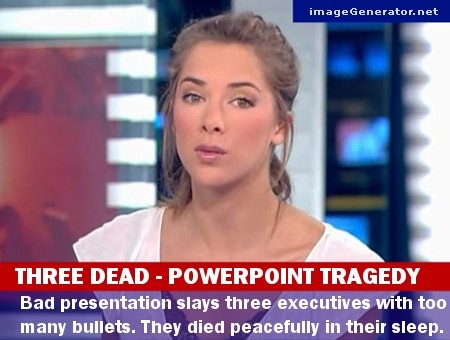
As regular readers will know, clear presentation of information is a hot topic of mine, particularly when I am delivering software training. As I am a MOS: Master I do a lot of Microsoft Office courses, and try to focus not just on the features of the applications but also advise on good practices. This might include clear layout of a Word document, suitable formatting of an Excel chart, or the whole process of designing a professional presentation to deliver your message clearly and avoid “death by PowerPoint”.
BadPowerPointNews

Read more of this post

How many people share your Microsoft qualifications?

When I am revising hard to pass my various exams I often get asked by friends and family “so what exactly does this qualification mean?”

The implied question is “how special is this?” or “how many millions of others already have one of these?” to which I never had an answer because Microsoft never provided one.

Now I can answer these questions as Microsoft have posted a page listing all the major technical qualifications such as MCP, MCSA, MCSE, MCSD and MCDST along with the number of people who hold each one. Obviously some people get counted several times for their MCP, MCSA and MCSE (for example), but it is still a useful indication of how you compare to others. They have said this page will be updated monthly, and should soon include all the new Vista and Exchange 2007 MCITP stuff.

As things stand at the moment this means that when I pass my 70-291 (hopefully very soon) I will be one of about 42,000 people in the world with an MCSA:Messaging (2003).

I’m not sure how special that makes me feel, but it is certainly a step up from being one-in-two-million vanilla MCPs.

Whitelisting applications versus Anti-virus

There was an interesting article in The Register yesterday called “the decline of antivirus and the rise of whitelisting“. It discussed the relative merits of using a whitelist to allow only known good programs to run, versus using traditional anti-virus (AV) to let everything run except things you know are bad. The comments to this article also raised a number of valid points, some academic and some based on real-world experience.

The obvious flaw in the traditional AV approach is the difficulty in keeping up with new malicious software rapidly enough to avoid infection. Whitelisting gives you a little more control but still takes substantial effort in a large environment, and is harder to delegate out to a third party without leaving so many loopholes as to render it pointless.

Read more of this post

Endemol’s Cheetah found to be a cheater

Personally I can’t understand anyone phoning into those daytime or late-night quiz shows with banal questions in the vain belief that they have a reasonable chance of winning. Clearly the questions themselves are simply a tick in a box to avoid the complex legal implications of the lottery and gaming laws. The fact they have questions make it a test of skill rather than simply one of luck, supposedly, but given the ridiculously easy puzzles asked (“how many letters are there in the word “stupid”?) I find this quite strange. Surely the only thing easier to see than the answers is that anyone who is even half awake will know the correct response, and the winner is simply selected at random. How is that not a lottery?

Anyway, despite the fact that these are a licence to print money, it seems this was not enough for the aptly named Cheetah, a subsidiary of TV production company Endemol.

Read more of this post

Biggest ever fine for unlicensed software – £250,000

The Register reports that an unnamed firm has paid out a quarter of a million pounds for use of unlicensed software:

The company … was running unlicensed copies of Adobe, Autodesk, and Microsoft software on hundreds of PCs across several UK locations.

The Business Software Alliance (BSA) started its investigation into the firm in October 2006, eventually resulting in the agreement of an out-of-court settlement late last month.

“The size of the settlement is a reflection of the serious nature and scale of unlicensed software use at this company,” said Sarah Coombes, director of legal affairs in EMEA for the BSA.

So far there’s no further information on the BSA website. It seems likely that the terms of the settlement will preclude either party from disclosing too much detail, so it will probably not be clear whether this amount was simply a back payment for software in use, or supposed to be a punitive fine. Out-law.com describe the company as being “in the infrastructure and public services sector.”

Since it was settled out of court, it is perhaps a little misleading to call this a fine anyway. Let’s not forget that the BSA is simply a commercial organisation which acts on behalf of it’s members in bringing civil cases. They have no statutory powers, which is why these disputes end in financial payments being made, effectively in restitution for lost business. A real case of piracy under the Copyright laws of the UK could lead to prison terms for those involved of up to ten years (if memory serves me correctly).

Users sharing passwords may breach data protection regulations

The Data Protection Act 1998 (DPA) can be seen as a very straightforward piece of legislation. Properly applied, it protects the rights of individuals to ensure that data about them is processed properly, securely and only for the purposes they originally gave that information.

In a ruling yesterday the Information Commissioner’s Office decided that allowing staff to access data without proper controls (by using each other’s passwords) is not in compliance with the Act. This kind of lax IT management does not ensure that personal information will only be accessed by authorised people who have a good reason to do so. This does not meet the Act’s requirements that a Data Controller should have appropriate “technical and operational measures” to ensure data is processed in line with the Data Protection Principles.

Read more of this post

Windows Vista more secure after six months than XP

Some readers may have seen the report which was published by Jeff Jones three months after Vista was finally released in which he showed that the number and severity of flaws in Vista were far less of a risk than XP after an equivalent period.

He has now updated this report to show the vulnerabilities in Vista after 180 days. What is key is not only the distinctly fewer known vulnerabilities overall, but the number of disclosed holes that remain unpatched at the time of writing.

Note that the blog entry is only a summary and the only graph you get to see relates to high severity vulnerabilities. Also, it only looks at those which affect the core systems, not optional components. So, Vista looks like it is doing better than XP at this point with almost no unpatched holes, and many people will go away with that impression because visuals work well in getting messages into the brain.

The full 14 page report (pdf) is also available, in which the discussion is much more detailed (even patch by patch). It is here that it becomes clearer that while it is faring better than XP did, to me it is not doing so much better given how much hype there has been about trustworthy computing and Vista (and Longhorn / 2008) being secure by design, rewritten from the ground up to be more secure, yadayada more secure.

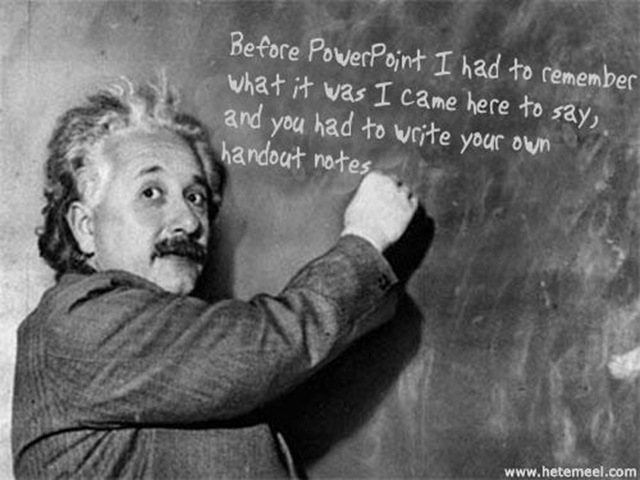
Einstein on PowerPoint

Albert Einstein famously said “Everything should be as simple as possible, but not simpler” in reference to physics and its explanations of the Universe.

It might also apply to PowerPoint presentations, where it is too easy to clutter slide with too many bullets or too much information and detail. For example, a chart with comparisons of twenty products across three sales regions for the last four quarters – with all the individual sales figures attached to each part of the stacked bar, of course.

Don’t do it. Keep it simple. Provide enough information in the visual aid to make the point (eg Widgets are selling more than ever, and sales in Toyland are decreasing) but no more than that.

Use the speaker’s notes to provide you with the extra detail if you need to refer to the numbers, and include these notes in the handout so people can digest them later if they want to. Think about using some hidden slides so you have a selection of related charts and / or figures which you can show in response to a direct question, but will not bore the audience with if they seem uninterested (or simply happy to take your conclusions at face value).

Handouts are also the right place for giving the source of your data and any appropriate caveats such as how many people were surveyed in a poll, or what exchange rate has been used to compare sales across currencies.

A good technique to deliver a more professional presentation is to think about what the audience would write down if there were no handouts. What would be the really important things they chose to take away? So why try and ram anything else through their eyeballs and into their brains?

Eistein giving a blackboard presentation about PowerPoint

Footnote: you can make your own images of Einstein’s blackboard musings here: http://www.hetemeel.com/einsteinform.php

Older software is less secure, so always use the brand new version

Myth: “Older software is less secure than the newest release, so always upgrade to the brand new version as soon as possible”

The most obvious reason this cannot always be true, is that you will hear the opposite said just as often and with as much conviction!

So where does the truth lie between these two opposing extremes? Quite apart from the cost to your business in terms of buying software and disrupting operations, retraining users and so on, you have no way of knowing that a newer product is necessarily more stable than its predecessor.

Read more of this post

Minor changes here on VeroBlog

As the total number of posts here grows I felt things needed to be a bit more organised.

I have changed around a few of the category headings to be more useful and updated my BlogRoll. I also shuffled the site layout around a bit (God bless the power of well-designed themes in WordPress!).

When I browse other people’s blogs I tend to look at recent posts and then drill into categories, rather than looking by month. So I brought out categories as a main navigation feature on the left and generally de-cluttered the sidebars.

I hope you like the new layout (as if you even noticed…)

Ceci n’est pas une brand

One of the training courses I run is about producing and delivering better PowerPoint presentations. This looks at ways to avoid Death by PowerPoint by using well-crafted, visually attractive slides to provide maximum impact and increase audience understanding and information retention.

In a future blog post I might collect some thoughts together around that topic, but for now I thought I would link to a pretty good example. Given that this is a slideshow with no presenter, there is text accompanying pictures which would not necessarily be the case if it was speaker-driven. However, it is still a great example of visual impact to deliver a strong message.

Notice that because of the limitations of SlideShare (and good taste on the part of the designer) there are no animations, no builds, just pure, simple, accessible slides. One of the disciplines I ask my course delegates to adopt is to print their slide deck in black and white, 6 slides to a page. Only if their slides are readable and make sense (and have impact) in this format will they be successful for a presentation. Maybe my new discipline should be “post it to SlideShare” which has similar limitations of size* and lack of animation .

*I know you can view it in full-screen mode but many people won’t do this, and those that do often want to see if the first couple of slides draw them in before doing that.

The Brand Gap Presentation is also an interesting insight into the topic of branding and marketing, which is often a theme which comes into choice of presentation style and touches on some of the areas I teach.

Your brand is not what you say it is, it’s what they say it is.

Windows updates for June

The advanced notification has been published for the updates which will be released on Patch Tuesday, the 12th June.

Patch Tuesday 12th June 2007 advance notification page

4 out of the 6 are critical for at least one affected system. 2 of these are critical patches for just about all operating systems. One is critical for various versions of Internet Explorer (including IE7 on Vista); the last is critical for Windows Mail (the Vista replacement for Outlook Express).

The remaining two include a moderate fix for Vista and an important fix for Visio. These would not be installed automatically with default Windows Update settings but would need the user to choose them. Of course, in a business environment the best way to roll these out is to use WSUS version 3 which is now available.

On the subject of June patches, there are some updates for SBS 2003 servers as well. These are designed to get Vista to integrate into your SBS environment as smoothly as XP does – using /connectcomputer to join the domain for example. Of course you can run Vista in an SBS 2003 environment without this, but you lose some of the rich management features by doing so.

Read the MS SBS Blog post about these updates for Vista.

Thanks to Susan Bradley, the SBS Diva for her great blog where I first spotted this (and David Overton’s follow up about half an hour after Susan!)

Huge PowerPoint files and how to avoid them

I have used PowerPoint for many years in a variety of job roles and it never ceases to amaze me that other people are able to create presentations which are, quite frankly, vast in their file sizes. There are several reasons for this, but the underlying problem is twofold:

a) users don’t think about file size until it is too late (when they realise they can’t email it, nor fit it on their memory stick nor even burn it to a single CD)

b) they don’t know how to avoid or fix the problem even if they did think about it

This means that many common causes of over-sized files go unchecked, files are used and re-used, and by the time you see there is a problem you have a huge clearing up job to do. Much better to tackle the issue at the source – when creating your presentation in the first place.

Read more of this post

Updated ACL model in Vista improves on XP and 2003

There are various changes to the ACL model from XP/2003 to Windows Vista. Some are simple changes to defaults such as who has permission to create and modify files in the root of the boot volume, others are more complex regarding implicit permissions granted to the owner of an object and how this can be controlled even further.

Jesper Johansson has written an excellent and detailed Technet magazine article about Vista’s new ACL features  and how these improve security. Some of this is just “useful to know” but effectively just gets on with the job under the hood; other parts are more useful to understand in depth to leverage the new capabilities.

Read more of this post

Windows Live Writer Beta2 is here

Now, I’m not the most fanatical blogger in the world by a long stretch, but I do like to share titbits of information and interesting things I have found from time to time.

I do read a lot of different websites on a daily basis and often stumble across things I would blog about, but often put this off until I can find a quiet few minutes to comment and expand upon something, rather than write simply “Look at this…”. All too often those quiet moments come when I am out of range of an internet connection so the thought never gets posted.

Windows Live Writer (now in Beta2) now makes this a whole lot easier by allowing me to compose, edit and publish through a single friendly tool, offline or online.

Read more of this post

Office 2007 group policy – error in Outlook ADM file

If you are using the Vista Group Policy console to edit GPOs for using the downloadable ADM files Office 2007, create a policy (with or without any Outlook settings) and then try to see the report of which settings are configured, you may get an error similar to this (including the bad grammar of “is in not in”):

The .adm file path\Outlk12.adm is in not in a valid format and must be replaced. Details: A value name is expected before line 2461

The fix is described in typically long-winded but easy to follow fashion in KB926537 (although that article refers to line 3304 which is a bit odd). This basically involves moving one line of the file up so that a name appears before the values to which it refers. but it is not clear why the files are still available for download with this error in them and with no reference on the download page to this bug report and simple fix.

Get touchy feely with your digital media

Microsoft’s new Surface platform looks set to be the Next Big Thing for interactive experiences. The same level of “wow” factor as when touch screens finally got reliable ten years ago or so and started appearing in all sorts of kiosk type environments. It remains to be seen whether this will be as intuitive to use as we would like, or will require a steep learning curve as with any other new GUI.

http://www.microsoft.com/surface

This seems very similar to this multi-touch screen with gesture-based control from Perceptive Pixel (a bit like the ones seen in the film Minority Report, albeit with a physical screen and 2d images, no gloves, and no Cruise).

And this intelligent white board for motion modelling based on engineering sketches just blows away any of the current crop of over-priced boards being installed in schools up and down the country.

Update: a much longer presentation with more background explanation from Mark Bolger, MS Director of Marketing for Surface computing can be found here: http://on10.net/Blogs/larry/first-look-microsoft-surfacing-computing/

…and another MS Surface marketing exercise published through Popular Mechanics

Update2: A further demo and talk by Jeff Han (founder of Perceptive Pixel) from Feb 2006 (just sit through a short advert first): http://www.ted.com/index.php/talks/view/id/65

Shock! Amazement! Longhorn ‘project’ now has a product name for release

After much debate over the release schedule for Longhorn, the lesser discussion was about what the final product might actually be called.

At long last Microsoft reveal how their internal brainstorming and creative teams work and show how they came up with a radical new approach to product marketing for their latest server operating system:

http://www.microsoft.com/winme/0705/30054/Windows_Server_Naming_HD_MBR.asx

Making presentations clearer by zooming with NLarge

When I’m delivering training sessions about Microsoft Office and I start a demonstration, I find that it is often hard for the audience to see the detail of what I’m doing. While I can zoom in on a document I can’t easily make the toolbars and other details bigger – such as the formula bar in Excel.

Of course, I could lower the screen resolution, use big fonts and large mouse schemes to address some of the issues, but then the PowerPoint parts of the course become clunkier, and anything which involves seeing the ‘whole picture’ loses some impact due to lack of screen real-estate.

There are several great tools to help with this by providing a magnified area around the mouse. One such tool is ZoomIt by Mark Russinovich, but this does not work for all my machines (partly due to .Net 3 requirement I think). I have subsequently come across NLarge which is based on the same principles but seems to ‘just work’ so it is now my utility of choice for this kind of work.

Free IT training – TCP/IP, Cisco, CompTIA

Train Signal have some free videos available to watch online as a demonstration of their training course content. These are also useful as refreshers on certain topics (especially if you have an exam coming up!)

Interestingly the prepared lesson sections (as distinct from demonstrations) are done using Microsoft OneNote, with the trainer writing and drawing directly on the page, rather the ubiquitous PowerPoint.

Read more of this post