Excel 2007 bug shows wrong answers to simple multiplications

This is a follow-up post to my earlier one about a bug in the way Excel 2007 displays the results of certain calculations. Read that one first of you have not already done so.

A few people in the comments thread in the Excel team blog post about the bug seem to have some misconceptions about the seriousness of the problem. Some have asked how often it is likely to come up, implying that they think it is vanishingly unlikely. This seems to be particularly those who have misunderstood that the example of 850*77.1 is only one simple example which is easy to remember and to type, but there are several more simple ones as well as thousands of other combinations which lead to the buggy result (due to floating point rounding errors in the calculation hitting a result which is sufficiently close to 65,535 to cause the false display of 100,000). Nine examples are shown in the screenshot below, and in a table you can easily copy and paste to try this for yourself.

» See some simple examples and find out more about functions which reproduce the error, and which ignore it safely»

Excel 2007 calculation bug displays apparently wrong numbers

A bug has been found in Excel 2007 and Excel services 2007 which appears to calculate certain results incorrectly. In fact, the stored value of the result is correct, and other calculations based on that result will calculate correctly. The only error is in the display of the number, not the internal calculation. This is, of course, still a problem for anyone who is reading the values on screen or on a printout, or exporting them to other programs (see further down in this post).

According to the article on the Excel team blog about this bug:

The first example that we heard about was =77.1*850, but it became clear from our testing as well as additional reports that this was just one instance where Excel 2007 would return a value of 100,000 instead of 65,535.  The majority of these additional reports were focused on multiplication (ex. =5.1*12850; =10.2*6425; =20.4*3212.5 ), but our testing showed that this really didn’t have anything do to with multiplication – it manifested itself with many but not all calculations in Excel that should have resulted in 65,535 (=65535*1 and =16383.75*4 worked for instance).  Further testing showed a similar phenomenon with 65,536 as well.  This issue only exists in Excel 2007, not previous versions.

Said another way, =850*77.1 will display an incorrect value, but if you then multiply the result by 2, you will get the correct answer (i.e. if A1 contains “=850*77.1”, and A2 contains “=A1*2”, A2 will return the correct answer of 131,070).

So, it is important to note that most calculations which result in numbers near to or equal to 65,535 and 65,536 will be absolutely fine. It is only through some very specific oddities about how floating point numbers work that you will get one of the 12 situations where this bug occurs. If it does, you will have cells that read “100,000” rather than the correct answer. Anything else in Excel which you base on those cells will be correct.

You can add to them, multiply by them, show conditional formats such as colour scales or icon sets, even draw charts with those values and Excel will correctly handle the real, underlying value and not the displayed one. Macros or external programmatic methods of retrieving the cell’s contents also return the true stored value.

»Read the rest of the post to find out how this bug will bite you»
GPMC will be removed if you install Vista Service Pack 1 (follow up post)

As I discussed in a previous post, I thought that the removal of the Group Policy Management Console from Vista when installing service pack 1 was a pretty bad idea. David Overton asked if anyone cared about GPMC being pulled out of Vista with sp1, while others claim it really is a good step for a variety of reasons, and I wanted to follow up on this.

There were various articles announcing Vista sp1, including one on the official Vista team blog which managed to say lots about all the good stuff and conveniently forget some things like the removal of the very useful GPMC, which is only mentioned in the whitepaper (and later reported on by various bloggers and journalists of varying degrees of credibility).
» Read the discussion about why GPMC should or should not be removed by Vista service pack 1 »

Use Bitlocker drive encryption for all your data volumes on Vista

Thanks to a comment by Steve Lamb on his blog, I now find out that you can already use Bitlocker to encrypt volumes other than the operating system partition, you just have to do it from the command line.

I was pleasantly surprised to learn this, and it means I don’t have to wait for sp1. »Read the rest of the article to find out how»

Microsoft lost appeal to the European Courts over anti-competitive practices

The verdict is finally here. The appeal has been lost, all that Microsoft got out of it is the requirement to have an independent monitor to check it was keeping in line with the court’s rulings. The original verdict of the European Commission in 2004 was appealed to the European Court of First Instance. In the court’s statement about the appeal case, they said:

The Court of First Instance essentially upholds the Commission’s decision finding that Microsoft abused its dominant position…The Court criticises, in particular, the obligation imposed on Microsoft to allow the monitoring trustee, independently of the Commission, access to its information, documents, premises and employees and also to the source code of its relevant products.

Read more of this post

More bad news for Vista Service pack 1

Apart from the long wait for a service pack for Vista (over a year from initial release) and the hugely bloated size of the “stand-alone” option to apply the service pack to machines without connecting them to the internet, I just learned some bad news.

David Overton posted an article about what’s coming in the first service pack for Vista. In it he links to and quotes this BetaNews article which says:

the service pack will uninstall the Group Policy Management Console (GPMC) and GPEdit.msc will edit local Group Policy by default

Read more of this post

Group Policy best practice analyser tool available

I have not yet had a chance to try this out, but still thought it was worth giving people the heads up. The description given on the download page for the Group Policy Best Practice Analyzer for Windows Server 2003 is:

The Microsoft Group Policy Diagnostic Best Practice Analyzer (GPDBPA) for Windows XP and Windows Server 2003 is designed to help you identify Group Policy configuration errors or other dependency failures that may prevent settings or features from functioning as expected.

Read more of this post

10 great features to use in Windows Vista – part 1

I am going to be very careful in introducing this article. This is my personal view of some features that have been included in Windows Vista and why I like them. I do not claim they are the best features. I have no opinion on whether these are better implemented than in some Linux build or Mac OS. This is simply about the things I have found added to my productivity over the last 6 months of using the RTM version of Vista Ultimate. This is the first 5 of 10 useful things which are right there, out of the box, no third party applications or tweaks required. Items 6 to 10 will follow in a second article very soon.

Note: I certainly do not think these are necessarily big enough to merit an upgrade to Vista on their own. They are probably good enough to choose to have Vista on your next machine rather than sticking to your old ways and asking for XP to be installed. In a follow-up article I may discuss more of the technical reasons why Vista is worth having (and potentially upgrading to if those factors are important to you). Today’s list is built around things the everyday user will benefit from in their daily interactions.

Read more of this post

Industry Insiders article – Don’t Secure Your Documents!

An article I wrote for Microsoft’s Industry Insiders blog site has just been published.

This week I was asked by the IT support guy who works for one of my clients about how a user could put a password on a document. Since I am both their external consultant and their MS Office trainer, I was the right person to call.

To me this question is always a red flag as it implies that the user does not understand the places which already exist for them to save documents in such a way as to give access to the correct group of colleagues (or just themselves). My answer was therefore “I’ll show you how to do it for the sake of argument, but you should tell the user that they should not do this”.

Read the whole of this article about a proper approach to document security and avoiding mere security theatre.

The Industry Insiders site looks at various topics affecting corporate IT, with a slight lean towards information security, which is unsurprising since it is maintained by IT Pro Evangelist for Security, Steve Lamb (and evangelist manager Eileen Brown)

Vista updates available for performance and compatibility

There are a couple of updates which have been released for Vista which are outside the WSUS infrastructure (or rather they don’t seem to show up as updates at the moment). KB938194 is a compatibility and reliability update and KB938979 is supposed to improve performance and reliability. Essentially the first one fixes a variety of seemingly unrelated things to do with stability and things which fail or stop completely, while the second is more about things which just take a lot longer than they should. There are 64 bit versions available as well here and here.

Windows Vista more secure after six months than XP

Some readers may have seen the report which was published by Jeff Jones three months after Vista was finally released in which he showed that the number and severity of flaws in Vista were far less of a risk than XP after an equivalent period.

He has now updated this report to show the vulnerabilities in Vista after 180 days. What is key is not only the distinctly fewer known vulnerabilities overall, but the number of disclosed holes that remain unpatched at the time of writing.

Note that the blog entry is only a summary and the only graph you get to see relates to high severity vulnerabilities. Also, it only looks at those which affect the core systems, not optional components. So, Vista looks like it is doing better than XP at this point with almost no unpatched holes, and many people will go away with that impression because visuals work well in getting messages into the brain.

The full 14 page report (pdf) is also available, in which the discussion is much more detailed (even patch by patch). It is here that it becomes clearer that while it is faring better than XP did, to me it is not doing so much better given how much hype there has been about trustworthy computing and Vista (and Longhorn / 2008) being secure by design, rewritten from the ground up to be more secure, yadayada more secure.

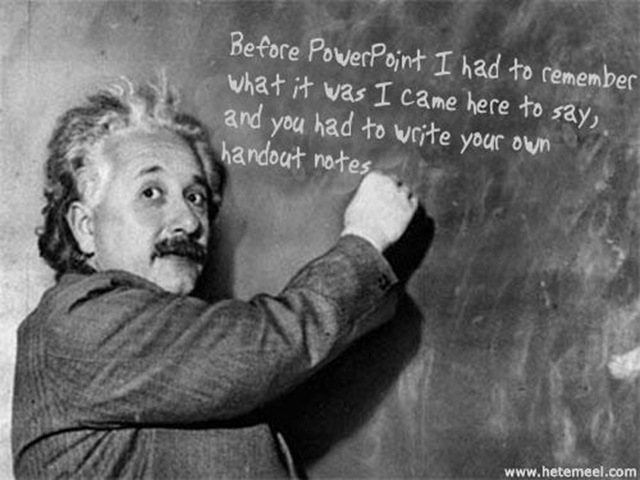
Einstein on PowerPoint

Albert Einstein famously said “Everything should be as simple as possible, but not simpler” in reference to physics and its explanations of the Universe.

It might also apply to PowerPoint presentations, where it is too easy to clutter slide with too many bullets or too much information and detail. For example, a chart with comparisons of twenty products across three sales regions for the last four quarters – with all the individual sales figures attached to each part of the stacked bar, of course.

Don’t do it. Keep it simple. Provide enough information in the visual aid to make the point (eg Widgets are selling more than ever, and sales in Toyland are decreasing) but no more than that.

Use the speaker’s notes to provide you with the extra detail if you need to refer to the numbers, and include these notes in the handout so people can digest them later if they want to. Think about using some hidden slides so you have a selection of related charts and / or figures which you can show in response to a direct question, but will not bore the audience with if they seem uninterested (or simply happy to take your conclusions at face value).

Handouts are also the right place for giving the source of your data and any appropriate caveats such as how many people were surveyed in a poll, or what exchange rate has been used to compare sales across currencies.

A good technique to deliver a more professional presentation is to think about what the audience would write down if there were no handouts. What would be the really important things they chose to take away? So why try and ram anything else through their eyeballs and into their brains?

Eistein giving a blackboard presentation about PowerPoint

Footnote: you can make your own images of Einstein’s blackboard musings here: http://www.hetemeel.com/einsteinform.php

Ceci n’est pas une brand

One of the training courses I run is about producing and delivering better PowerPoint presentations. This looks at ways to avoid Death by PowerPoint by using well-crafted, visually attractive slides to provide maximum impact and increase audience understanding and information retention.

In a future blog post I might collect some thoughts together around that topic, but for now I thought I would link to a pretty good example. Given that this is a slideshow with no presenter, there is text accompanying pictures which would not necessarily be the case if it was speaker-driven. However, it is still a great example of visual impact to deliver a strong message.

Notice that because of the limitations of SlideShare (and good taste on the part of the designer) there are no animations, no builds, just pure, simple, accessible slides. One of the disciplines I ask my course delegates to adopt is to print their slide deck in black and white, 6 slides to a page. Only if their slides are readable and make sense (and have impact) in this format will they be successful for a presentation. Maybe my new discipline should be “post it to SlideShare” which has similar limitations of size* and lack of animation .

*I know you can view it in full-screen mode but many people won’t do this, and those that do often want to see if the first couple of slides draw them in before doing that.

The Brand Gap Presentation is also an interesting insight into the topic of branding and marketing, which is often a theme which comes into choice of presentation style and touches on some of the areas I teach.

Your brand is not what you say it is, it’s what they say it is.

Windows updates for June

The advanced notification has been published for the updates which will be released on Patch Tuesday, the 12th June.

Patch Tuesday 12th June 2007 advance notification page

4 out of the 6 are critical for at least one affected system. 2 of these are critical patches for just about all operating systems. One is critical for various versions of Internet Explorer (including IE7 on Vista); the last is critical for Windows Mail (the Vista replacement for Outlook Express).

The remaining two include a moderate fix for Vista and an important fix for Visio. These would not be installed automatically with default Windows Update settings but would need the user to choose them. Of course, in a business environment the best way to roll these out is to use WSUS version 3 which is now available.

On the subject of June patches, there are some updates for SBS 2003 servers as well. These are designed to get Vista to integrate into your SBS environment as smoothly as XP does – using /connectcomputer to join the domain for example. Of course you can run Vista in an SBS 2003 environment without this, but you lose some of the rich management features by doing so.

Read the MS SBS Blog post about these updates for Vista.

Thanks to Susan Bradley, the SBS Diva for her great blog where I first spotted this (and David Overton’s follow up about half an hour after Susan!)

Huge PowerPoint files and how to avoid them

I have used PowerPoint for many years in a variety of job roles and it never ceases to amaze me that other people are able to create presentations which are, quite frankly, vast in their file sizes. There are several reasons for this, but the underlying problem is twofold:

a) users don’t think about file size until it is too late (when they realise they can’t email it, nor fit it on their memory stick nor even burn it to a single CD)

b) they don’t know how to avoid or fix the problem even if they did think about it

This means that many common causes of over-sized files go unchecked, files are used and re-used, and by the time you see there is a problem you have a huge clearing up job to do. Much better to tackle the issue at the source – when creating your presentation in the first place.

Read more of this post

Updated ACL model in Vista improves on XP and 2003

There are various changes to the ACL model from XP/2003 to Windows Vista. Some are simple changes to defaults such as who has permission to create and modify files in the root of the boot volume, others are more complex regarding implicit permissions granted to the owner of an object and how this can be controlled even further.

Jesper Johansson has written an excellent and detailed Technet magazine article about Vista’s new ACL features  and how these improve security. Some of this is just “useful to know” but effectively just gets on with the job under the hood; other parts are more useful to understand in depth to leverage the new capabilities.

Read more of this post

Office 2007 group policy – error in Outlook ADM file

If you are using the Vista Group Policy console to edit GPOs for using the downloadable ADM files Office 2007, create a policy (with or without any Outlook settings) and then try to see the report of which settings are configured, you may get an error similar to this (including the bad grammar of “is in not in”):

The .adm file path\Outlk12.adm is in not in a valid format and must be replaced. Details: A value name is expected before line 2461

The fix is described in typically long-winded but easy to follow fashion in KB926537 (although that article refers to line 3304 which is a bit odd). This basically involves moving one line of the file up so that a name appears before the values to which it refers. but it is not clear why the files are still available for download with this error in them and with no reference on the download page to this bug report and simple fix.

Shock! Amazement! Longhorn ‘project’ now has a product name for release

After much debate over the release schedule for Longhorn, the lesser discussion was about what the final product might actually be called.

At long last Microsoft reveal how their internal brainstorming and creative teams work and show how they came up with a radical new approach to product marketing for their latest server operating system:

http://www.microsoft.com/winme/0705/30054/Windows_Server_Naming_HD_MBR.asx

Moving the offline files cache (CSC folder) in Vista

I have found, as many others may have, that my old partitioning scheme which worked great for XP is simply not sufficient for Vista.

A 20Gb boot partition does not go very far on my Vista Ultimate laptop, and this is made a lot worse by my habit of having loads of files synchronised to work offline, which uses up even more space on this critical C: drive.

Of course, it was possible to move the CSC folder under XP (although the caveat seems to be that you can’t put it back in the original location). Under Vista it is a slightly more long-winded process, but here is a great step-by-step procedure for moving Vista’s client-side cache by changing the appropriate registry keys and using the Windows Easy Transfer wizard (migwiz.exe) to help move the files themselves.